
By Marek Pesan, TaleReady developer · Updated
Audiobooks on Apple Watch. Without your phone.
Yes: TaleReady can play your own DRM-free MP3, M4A, and M4B audiobooks directly from Apple Watch after you prepare them on iPhone. You need Bluetooth headphones, but no cellular plan or internet for the prepared audio. The first hour of manual Watch preparation is free.
Start with the actual audio files
You need an iPhone running iOS 17 or later, a paired Apple Watch running watchOS 10 or later, Bluetooth headphones, and MP3, M4A, or M4B files you have the right to use. Install TaleReady on both devices and open each app once.
A book visible inside another app is not necessarily an exportable audio file. Use the original DRM-free files in Files on iPhone. TaleReady does not extract books from Apple Books, Audible, or Libby, remove DRM, or connect to a Plex or Audiobookshelf server. If your book only exists as a protected in-app download, this workflow is not for that copy.
1. Import on iPhone
In TaleReady, add a chaptered M4B file, individual MP3 or M4A files, or a folder containing the chapters. Review the title and chapter order, then finish the import. Play a short section on iPhone to confirm it is the right book.
If the files are only in iCloud, allow them to download first. See the M4B and MP3 import guide for choosing and organizing your source files.
2. Prepare the next part
Open the Watch preparation controls on iPhone and choose the amount of listening you need. The free version lets you manually prepare the next hour. Pro adds larger windows and whole-book preparation, subject to available Watch storage.
Keep the devices nearby while preparing. If preparation needs attention, open TaleReady on both devices and use Continue Preparation. Already verified audio is preserved. Background delivery is scheduled by watchOS, so charging the Watch does not guarantee an immediate transfer.
3. Check before leaving
Wait for TaleReady to show the listening time as ready. This means the Watch has received and verified that audio as playable. An import finishing on iPhone, or a transfer progress indicator, is not the same thing.
Connect your Bluetooth headphones to Apple Watch. Open the book in the Watch library and start playback directly on the Watch, rather than using it as a remote for iPhone. For your first outing, leave the iPhone indoors and take a short test walk before relying on a longer session.
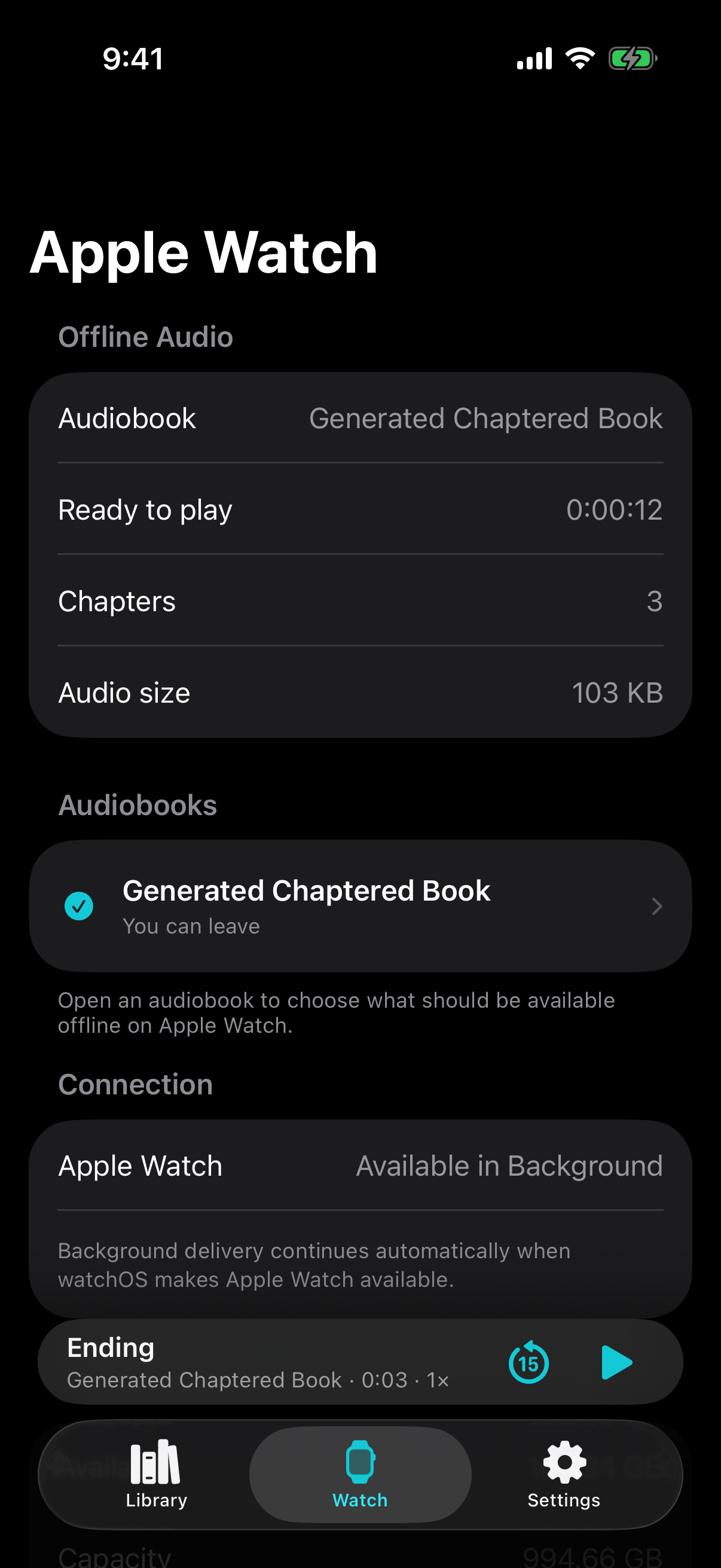
Do I need cellular?
Prepared audio plays from storage on Apple Watch, so cellular service is not needed for that offline listening. Your iPhone is still used to import and prepare more audio. Only the amount already shown as ready is available when you leave.
If playback is silent, check the Bluetooth audio route. If there is not enough ready time, finish preparation while the phone is nearby. More fixes are on the support page.
Can I use Libby, Audible, or Apple Books downloads?
Not by importing their protected in-app downloads into TaleReady. This workflow requires accessible DRM-free audio files, not just a book visible in another app. TaleReady does not remove DRM or extract another app’s library.
Check the file and device compatibility guide. If you need a source to try, follow the LibriVox walkthrough.
Try it before buying
iPhone listening and manual one-hour Watch preparation are free, with no trial deadline. TaleReady Pro is an optional lifetime purchase for larger windows, Always Ready, and automatic cleanup. There is no subscription and no TaleReady account.